Diagnostics
The Diagnostics tab: how to check a connection, Bridge and the token state, what the status, diag and test commands show, and how to collect a report for support.
The Diagnostics tab in the Synchronization settings window answers "why doesn't it work" without a support ticket. Commands run inside the plugin, send nothing anywhere and never print access tokens.
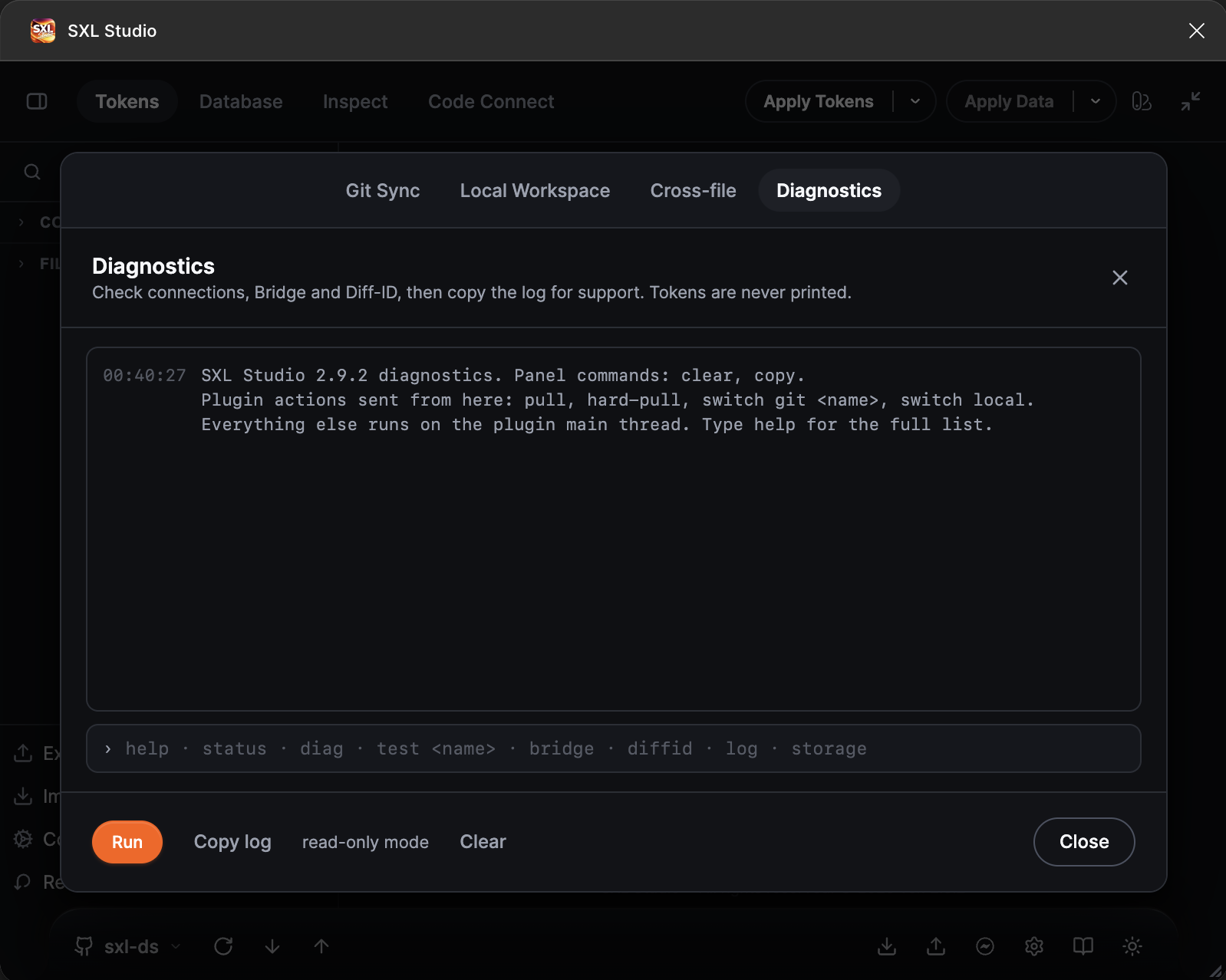
The Diagnostics tab right after opening: the welcome line, the command field with hints and the Run, Copy log and Clear buttons.
How to open
- Press the Sync settings gear on the right of the plugin footer.
- Switch to the Diagnostics tab.
- Type a command into the field at the bottom and press Enter. The ↑ and ↓ arrows browse the command history.
The Run button runs the full check, the same as the diag command. Copy log copies the whole output to the clipboard, Clear empties the panel. The read-only mode label means only safe commands are available; the extended mode is enabled by support with a code.
Commands
| Command | What it shows |
|---|---|
help | The list of commands |
status | The active source and connection, the Figma file key, the state of the Diff-ID service file, the number of token files, the Local Workspace state, the document operation queue and the last saves |
diag | The full check: every saved connection, Bridge, Diff-ID. The result is already free of secrets and ready to send to support |
test [name] | Checks one connection, the same as the Test connection button in the form. Without a name it checks the active one |
bridge | Whether SXL Bridge answers on the configured port and which Local Workspace profiles it knows |
diffid [name] | Which Diff-ID file this Figma file uses and which candidates exist in the repository |
log | The latest Pull, Push, Refresh and source-switch operations of this session with their outcome |
storage | How much of the plugin's internal storage is used and whether any files have no body |
ids | How many variables, collections and styles the plugin sees in the document |
varshape [name] | How Figma stores the values of a variable. Rarely needed, at support's request |
varprobe, composetest, apiscan, varscopes | Plugin API checks for support: they work on throwaway variables that are removed right away and require the unlock mode |
token [name] | The type and length of a connection's access token. The value itself is never shown |
pull, hard-pull | Run Pull or Hard Pull for the active connection, like the footer buttons |
switch git <name>, switch local | Switch the source to a Git connection or to Plugin Local |
clear, copy | Clear the panel, copy the log |
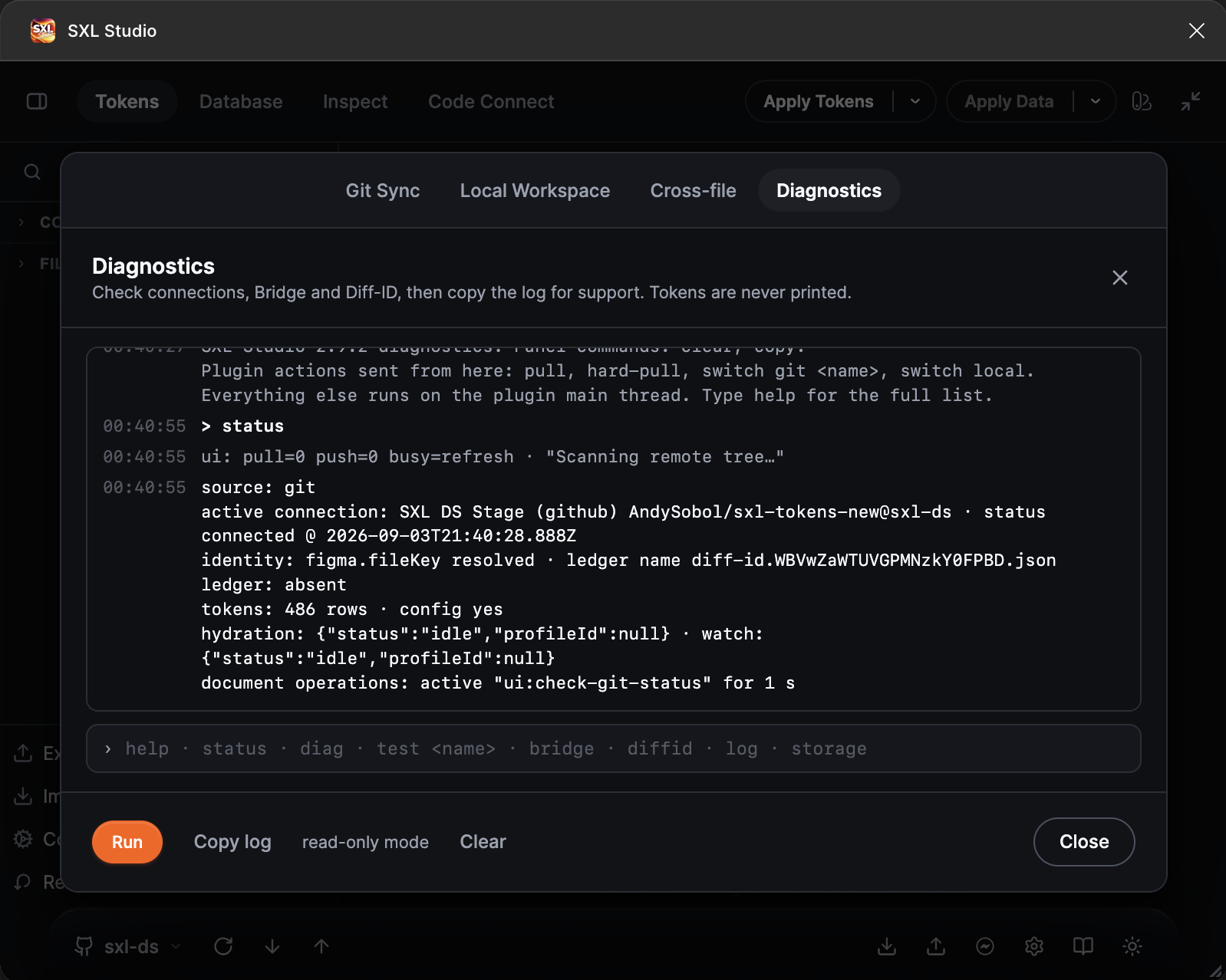
The output of status: source, connection, file key, Diff-ID, tokens, the operation queue and the last saves.
What the status lines mean
- source: the active source,
git,plugin-localorlocal-workspace. - active connection: the connection name, provider, repository and branch, and when it was last verified.
- identity: whether the Figma file key is known. The name of the Diff-ID service file depends on it.
- ledger: whether a local Diff-ID exists and belongs to this file.
- tokens: how many token files are loaded and whether
config.jsonis present. - hydration / watch: the Local Workspace state when it is active.
- document operations: what the plugin is doing with the Figma document right now and how many requests are waiting. If one operation stays here for a long time, that is what blocks saving.
- last token saves: the latest token file saves with their outcome and the failure reason.
How to send a report to support
- Run
diagor press Run. - Press Copy log and paste the text into an email or chat.
A second way, for the Git source only: click the branch chip in the footer and choose Copy diagnostics. The report is the same, and access tokens never get into it.
Typical situations
| What happened | What to run |
|---|---|
| The Save button in the editor does not save the file | status: look at document operations and last token saves. They show the refusal reason or the operation that holds the queue |
| Pull or Push fail | test for the active connection, then log |
| Local Workspace does not open or Local Storage cannot be enabled | bridge: Bridge must answer on port 37830 |
| After an export the variables were created again instead of being updated | diffid: check that this Figma file has its own Diff-ID and there are no conflicting candidates |
| The plugin reports that storage is full | storage, then enable Local Storage in the connection |