Rebind
The Instance Recovery section of the Inspect tab: the Linked, Remote and Broken states, rebinding an instance to another component while keeping overrides, Rebind All for a group of instances and Create Component when the right component does not exist yet.
Rebind changes the main component of an instance and keeps the user's settings: component property values, text, fill, stroke and effect overrides, visibility and opacity. The tool lives in the Instance Recovery section of the Inspect tab.
When you need it:
- the instance is Broken: the main component is unavailable;
- a Remote instance should move to a local component;
- instances should move to a new component without rebuilding by hand.
Rebind changes the component source, while Swap changes variables and styles and keeps the component.
Instance states
| State | Meaning |
|---|---|
| Linked | The main component is found in this file |
| Remote | The component lives in another file or branch. The note under the state suggests choosing a local component |
| Broken | The component is unavailable: deleted beyond restoring or not found |
Next to the state the section shows the component name and the Component ID or Library Key with a copy button.
Step by step
- Select the instance. For a group of broken instances select their common parent layer.
- Open the Inspect tab, the Instance Recovery section.
- Press Rebind. The Rebind button in the plugin header does the same. The layers icon next to the button finds every instance of this component on the current page and opens the window for all of them.
- In the Rebind Instance window set the target component in one of these ways:
- paste a Component ID or a library Component Key into the Target Component field;
- enable the picker and select a component on the canvas.
- Press Bind.
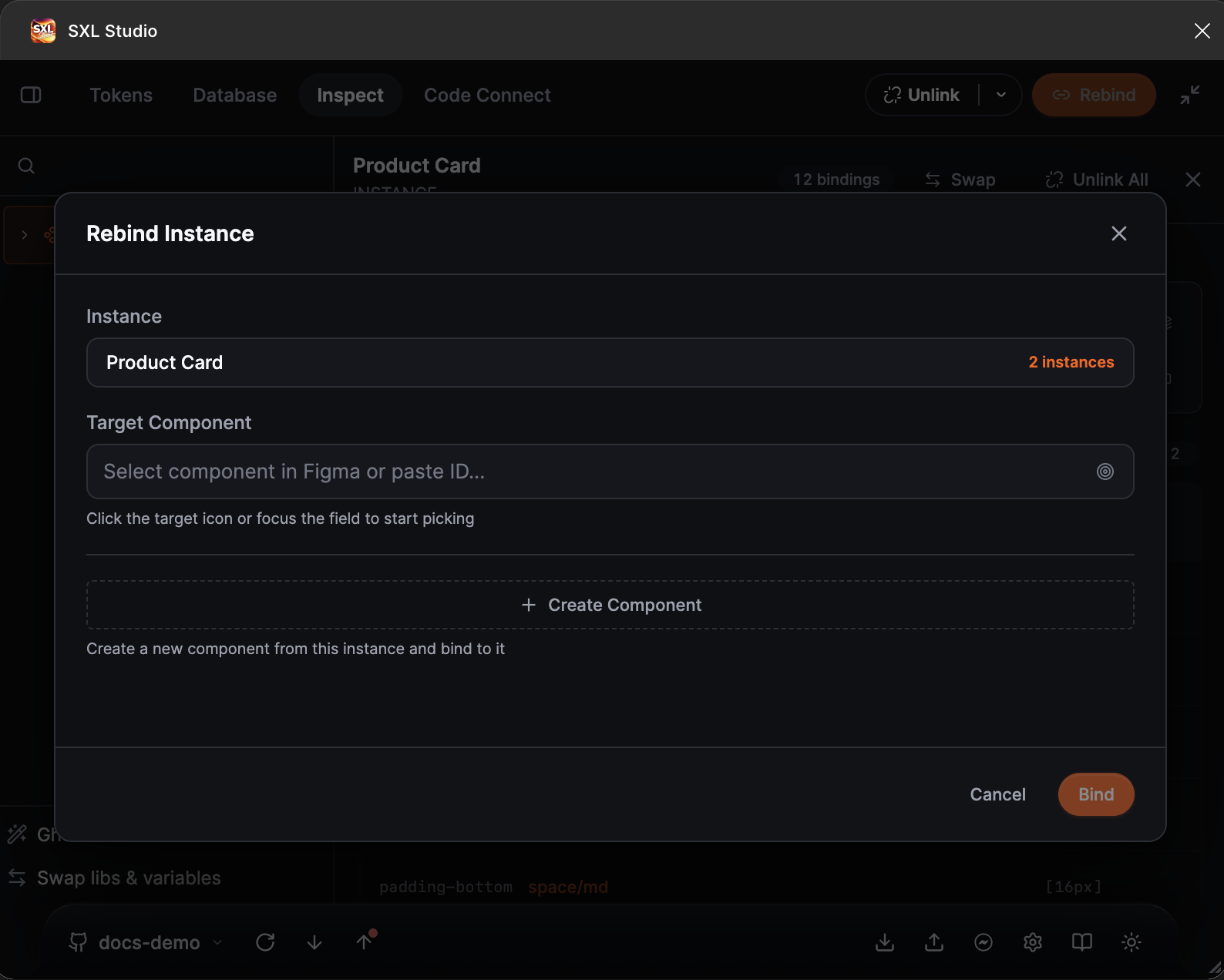
The Rebind Instance window: the source instance with the number of matching copies, the target component field with the picker active, and the Create Component button.
Rebind All
If the selected layer contains broken instances, a list and the Rebind All button appear under the section. The plugin takes the first broken instance, finds similar ones on the page by name and rebinds them to the chosen component in one go.
Create Component
If the right component does not exist yet, press Create Component in the Rebind window. The plugin creates a new component from a copy of the current instance and rebinds the instance to it right away. It is a quick way to recover after losing an external library.
Limits
- Matching instances are searched on the current page, not in the whole file.
- The target must be a component, not an arbitrary layer.
- If the design uses unavailable fonts, some text overrides are restored after the fonts are installed.