Import from Figma
How to turn the variables and styles of the current Figma file into JSON tokens: the Import from Figma window, choosing collections and style groups, types, the Smart, Strict and Generate modes and where the files go.
Import variables & styles reads the local variables and styles of the open Figma file and writes them into token JSON files. It is the reverse of export: a convenient way to start from an existing Figma library or to pull edits made directly in the Variables panel back into JSON.
Import works only with the local collections and styles of the current file. It does not read variables from linked libraries; to copy values from another file use Cross-file Sync.
How to import
- On the Tokens tab press Import variables & styles at the bottom of the tree. The Import from Figma window opens.
- Tick the variable collections and style groups to import. The checkbox in a section header selects or clears all. At least one collection or group must be selected.
- Check the types: the Color, Number, String, Boolean, Timing, Easing switches for variables and Typography, Fill, Gradient, Shadow, Blur, Effects, Glass, Grid for styles.
- Choose the mode and options, then press Import. New files appear in the tree and
config.jsonis updated.
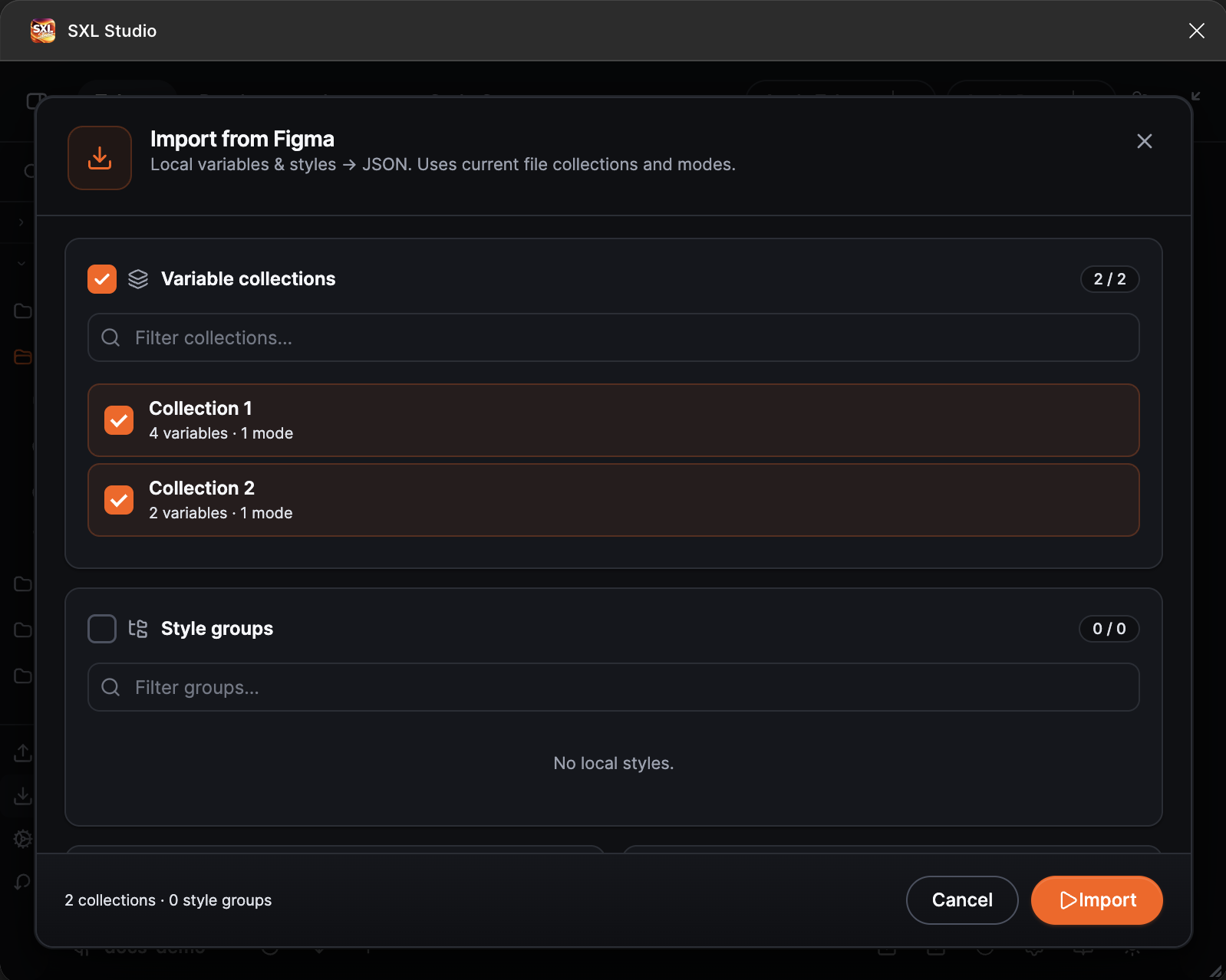
The Import from Figma window: variable collections, style groups, types and options.
A style group is the first segment of a style name: the Brand/Primary and Brand/Secondary styles fall into the Brand group.
Modes
| Mode | What it does |
|---|---|
| Smart, default | Uses the paths from config.json where they exist and adds missing collections, modes and files for the selected data |
| Strict | Writes only into paths already described in config.json; unknown collections and modes are skipped with a warning. Without a valid config.json the mode is unavailable |
| Generate | Builds the collection, mode and file structure from scratch for the selected Figma collections and replaces config.json as a whole, groups and file settings included. The plugin asks for confirmation before the import |
If config.json cannot be read or fails validation, the Smart and Strict modes stop the import with an error message and write nothing. Fix the file or choose Generate.
Options
| Option | What it does |
|---|---|
| Multi-file layout (greenfield) | For new paths: several files per mode or one file per mode |
| Overwrite existing token values | On: values in JSON are overwritten with values from Figma. Off: only missing tokens are added |
| Preserve variable aliases as {paths} | On: references between variables are kept as {group.token}. Off: resolved values are written |
| Map Figma scopes → $extensions | Writes variable scopes into the tokens' figma.scopes |
| Update diff-id.json | Keeps the link between tokens and the file's variables so that the next export updates them instead of creating them again. Keep it on |
| FLOAT → dimension (not plain number) | Numeric variables become dimension tokens instead of number |
Where the files go
- In the Smart and Strict modes the data goes into the files listed for the collection and mode in
config.json. - New paths in the Generate and Smart modes are created as
<collection>/<mode>/…. - Styles without a route of their own are written into
styles/imported-styles.json.
What you get in JSON
- Color, Number, String and Boolean variables become tokens of the matching types; Timing and Easing become
duration,cubicBezierandeasingtokens. - A colour with a bound opacity variable comes back as a colour reference with an
alphamodifier that references the opacity token. - Text styles become
typographytokens, paint stylesfillorgradient, grid stylesgridwith thepattern,count,gutterSize,sectionSize,offsetandalignmentfields. Only the first layer of a multi-layer paint style is imported. - Effect styles come back as layers: a style made of shadows only gives a
shadowtoken, a style with mixed effect kinds, including noise, texture, glass and progressive blur, gives aneffectstoken. A style made of glass layers only is imported by the Glass switch, a mixed one by Effects. Variables bound inside styles are kept as references. - Images in paint styles are imported as
imgtokens with an empty address that you fill in by hand. - Variable names turn into token paths; the
/separator becomes group nesting.
A minimal result:
{
  "color": {
    "brand": {
      "primary": { "$type": "color", "$value": "#0057ff" }
    }
  },
  "typography": {
    "body": {
      "md": {
        "$type": "typography",
        "$value": { "fontFamily": "Inter", "fontSize": "16px", "lineHeight": "24px" }
      }
    }
  }
}
If something does not work
| What happened | What to do |
|---|---|
| The Import button is disabled | Select at least one collection or style group and at least one type |
| The Strict mode is unavailable | There is no valid config.json. Choose Smart or Generate |
| After the import, export creates the variables again | The import ran with Update diff-id.json off. Import again with the option on |
| Import is blocked in Local Workspace | The read-only mode is active. Activate the profile again or switch to another source |