Tokens

Tokens to Code

Code generation from design tokens: CSS Custom Properties, SwiftUI, Kotlin Compose, Vue 3 SFC. Configuration, examples, and Transformer setup.

Why Tokens to Code

Design tokens are not just about Figma. Their ultimate purpose is to become working code on the developer's side. Tokens to Code takes your JSON files and turns them into ready-to-use code for three platforms:

  • CSS — Custom Properties (--color-primary: #0066FF;)
  • SwiftUI — extensions and constants (static let primary = Color(...))
  • Kotlin Compose — objects and types (val Primary = Color(0xFF0066FF))

Additionally, Vue 3 SFC generation from Composition tokens is available.

Two ways to use it

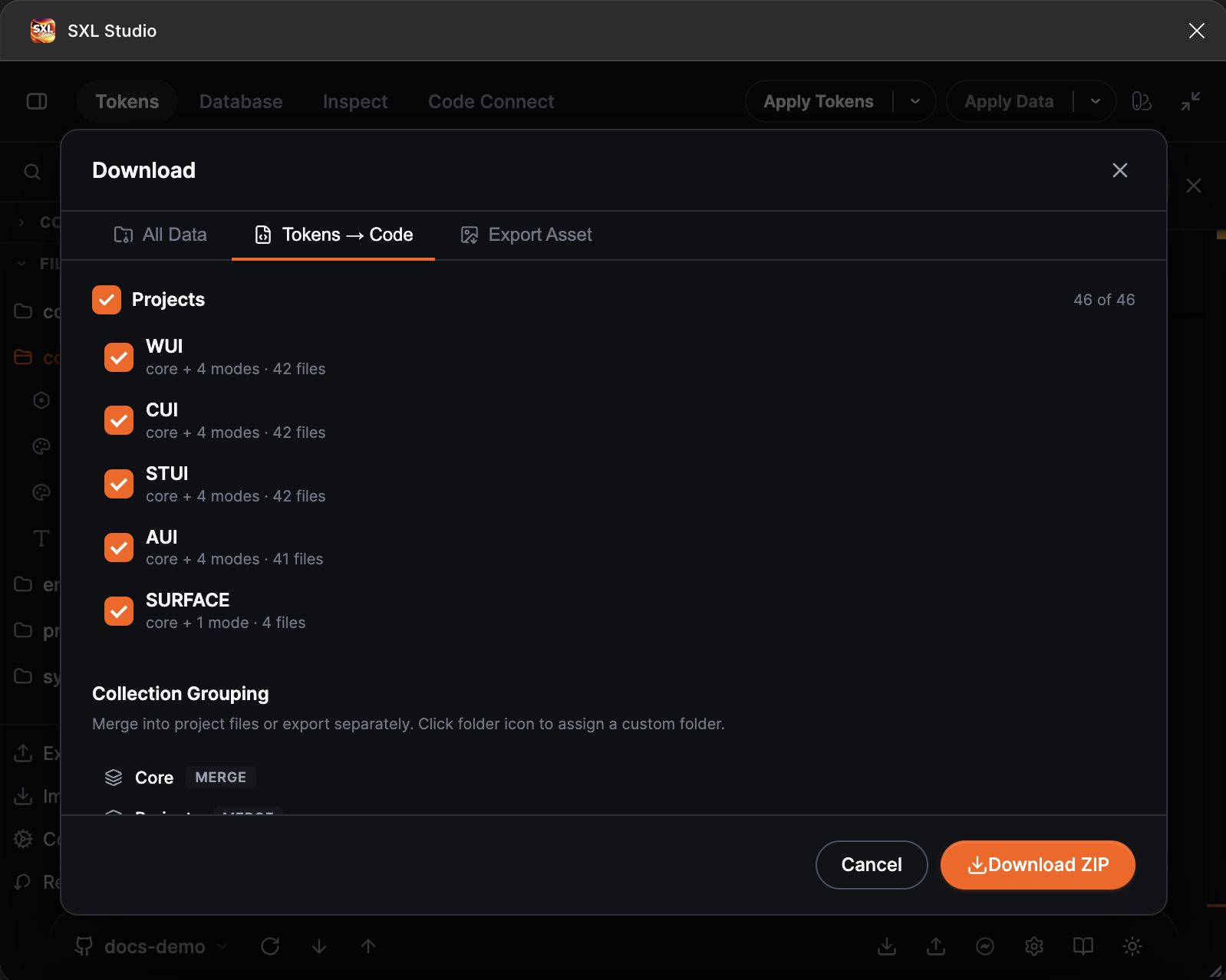
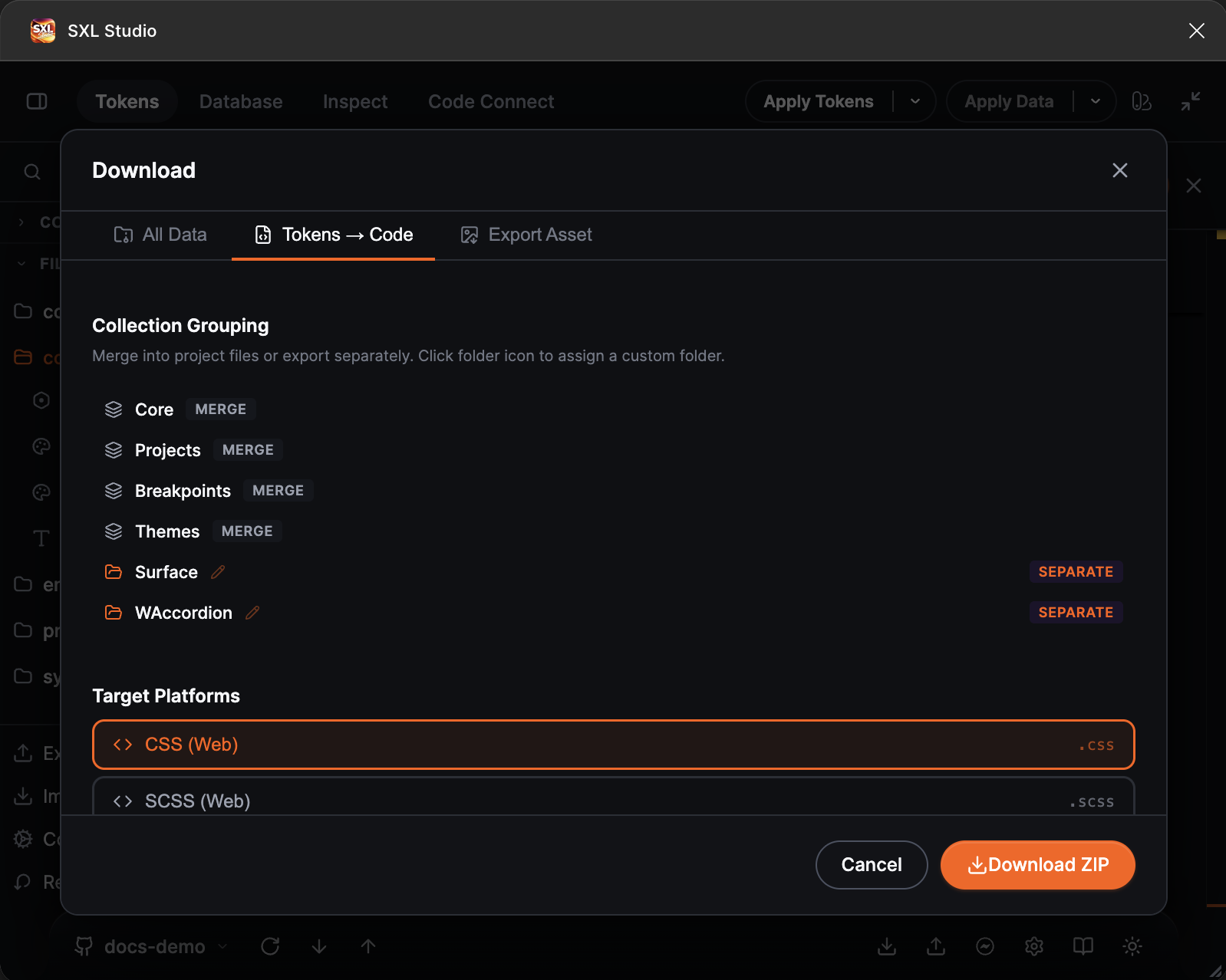
  1. From the plugin — Download tab → Tokens to Code. Select platforms, configure settings, download a ZIP archive with generated code
  2. Via CLI (Transformer) — a command-line utility for CI/CD pipeline integration or local builds
Generating code from tokens right inside Figma

Using in the plugin

Interface

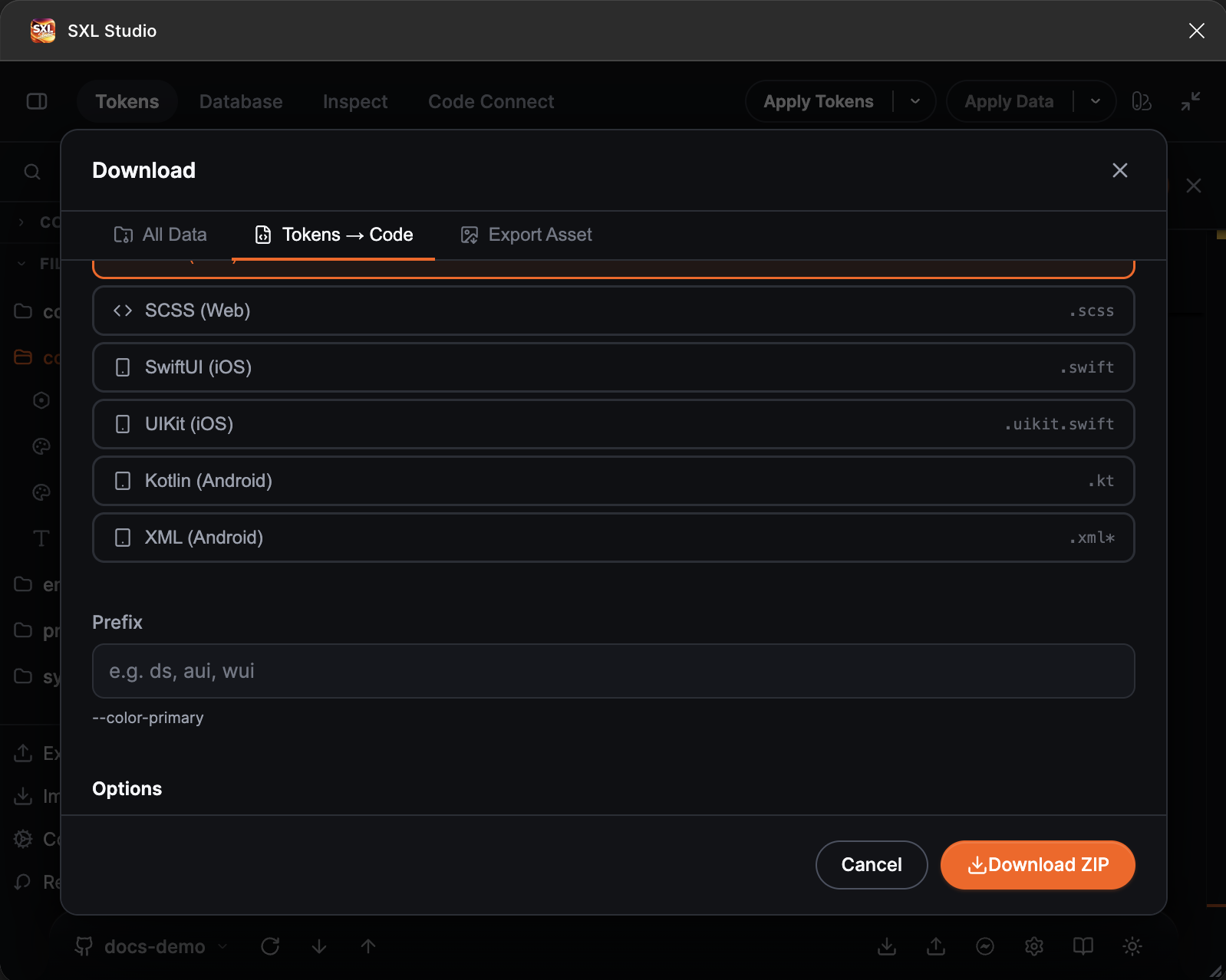
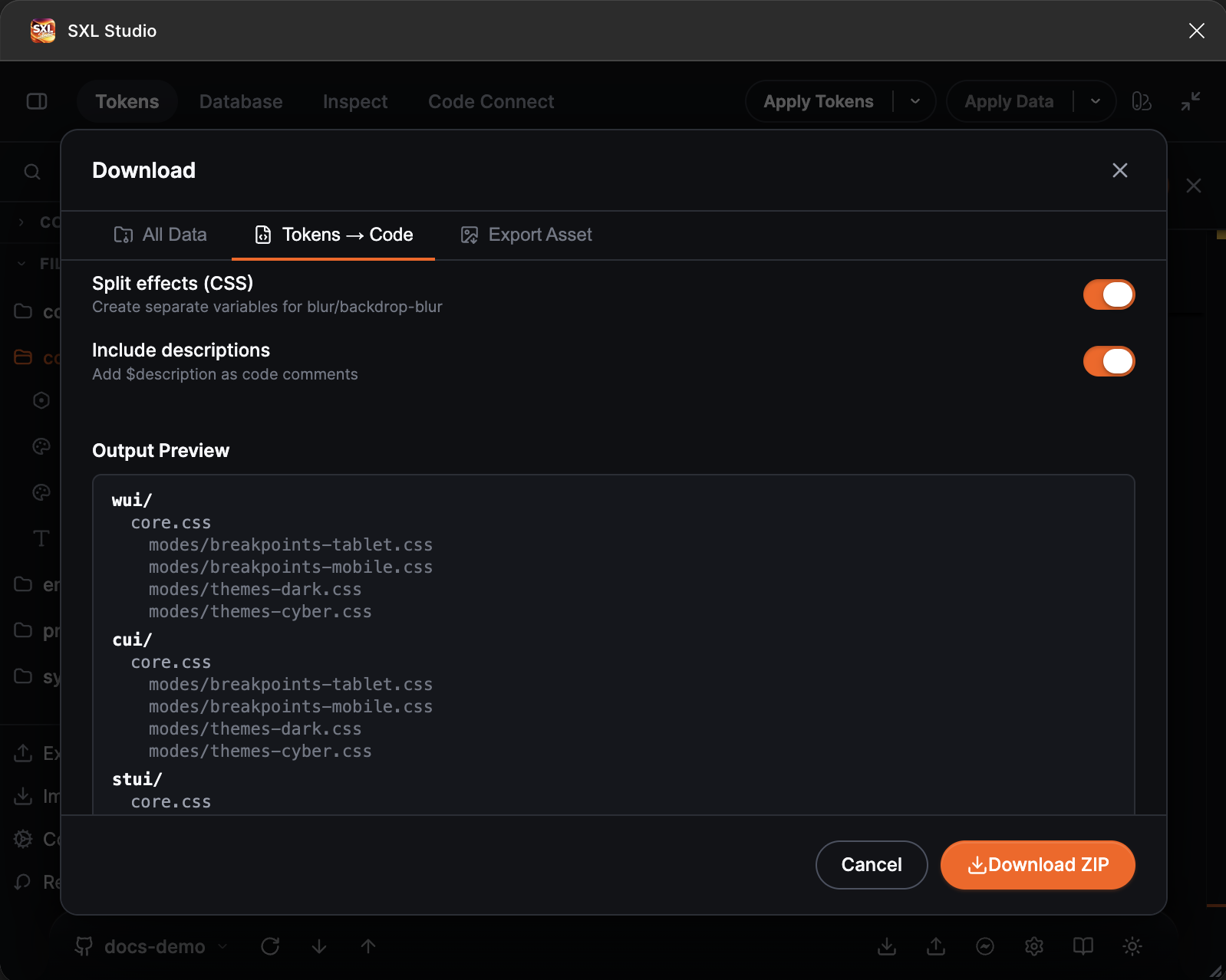
In the Download tab, select the Tokens to Code section. Available settings:

SettingDescription
PlatformsPlatforms to generate for (CSS, SwiftUI, Kotlin)
PrefixVariable name prefix (ds--ds-color-primary)
Resolve AliasesWhether to resolve aliases to final values or keep them as references
Split EffectsSplit mixed effects into separate variables (CSS only)
Show DescriptionsInclude $description as code comments

Result

The plugin generates a ZIP archive tokens-transformed.zip with files grouped by collections and modes from config.json.

Code generation settings in the plugin

Supported token types

Simple types

Token typeCSSSwiftUIKotlin Compose
color#hex / rgba()Color(red:green:blue:opacity:)Color(0xAARRGGBB)
dimension16px / 1remCGFloatDp
spacing, sizing16pxCGFloatDp
borderRadius, borderWidth4pxCGFloatDp
opacity0.5DoubleFloat
number42numeric valuenumeric value
fontFamily"Inter"StringString
fontWeight700Font.WeightFontWeight
fontSize, lineHeight16pxCGFloatTextUnit (sp)
letterSpacing0.5pxCGFloatTextUnit (sp)
duration200msStringString
cubicBeziercubic-bezier(...)StringString
booleantrueBoolBoolean
text, string"value"StringString
textCaseuppercaseStringString
textDecorationunderlineStringString

Composite types

Token typeCSSSwiftUIKotlin Compose
typography700 16px/24px InterFont.system(size:weight:)TextStyle(...)
shadow0 4px 8px rgba(...).shadow(color:radius:x:y:)elevation (Dp)
border1px solid #000(color:width:style:)BorderStroke(...)
fill#hex / gradient(...)Color(...) / Gradient(...)Color(...) / Brush(...)
gradientlinear-gradient(...)LinearGradient(...)Brush.linearGradient(...)
effectsbox-shadow + filter.shadow(...)elevation (Dp)
blurblur(4px).blur(radius:)Modifier.blur(...)
backdrop-blurblur(16px).blur(radius:)Modifier.blur(...)
transitionall 200ms easeStringString
gridrepeat(12, 1fr)StringString

Output examples

CSS Custom Properties

Source JSON:

JSON
{
  "color": {
    "primary": {
      "$type": "color",
      "$value": "#0066FF",
      "$description": "Primary brand color"
    },
    "danger": {
      "$type": "color",
      "$value": "#FF3B30"
    }
  },
  "spacing": {
    "sm": { "$type": "spacing", "$value": "8px" },
    "md": { "$type": "spacing", "$value": "16px" },
    "lg": { "$type": "spacing", "$value": "24px" }
  },
  "typography": {
    "heading": {
      "xl": {
        "$type": "typography",
        "$value": {
          "fontFamily": "{fontFamily.sans}",
          "fontWeight": "{fontWeight.bold}",
          "fontSize": "{fontSize.3xl}",
          "lineHeight": "{lineHeight.relaxed}"
        },
        "$description": "Extra large heading"
      }
    }
  }
}

CSS result (resolveAliases: false):

CSS
:root {
  /* Primary brand color */
  --color-primary: #0066FF;
  --color-danger: #FF3B30;
  --spacing-sm: 8px;
  --spacing-md: 16px;
  --spacing-lg: 24px;
  /* Extra large heading */
  --typography-heading-xl: var(--font-weight-bold) var(--font-size-3xl)/var(--line-height-relaxed) var(--font-family-sans);
}

CSS result (resolveAliases: true, prefix: "ds"):

CSS
:root {
  /* Primary brand color */
  --ds-color-primary: #0066FF;
  --ds-color-danger: #FF3B30;
  --ds-spacing-sm: 8px;
  --ds-spacing-md: 16px;
  --ds-spacing-lg: 24px;
  /* Extra large heading */
  --ds-typography-heading-xl: 700 30px/24px Inter;
}

SwiftUI

Result (resolveAliases: false):

SWIFT
import SwiftUI

// MARK: - Colors

extension Color {
    /// Primary brand color
    static let colorPrimary = Color(red: 0, green: 0.4, blue: 1, opacity: 1)
    static let colorDanger = Color(red: 1, green: 0.2314, blue: 0.1882, opacity: 1)
}

// MARK: - Spacing

enum Spacing {
    static let sm: CGFloat = 8
    static let md: CGFloat = 16
    static let lg: CGFloat = 24
}

// MARK: - Typography

extension Font {
    /// Extra large heading
    /// @ref {fontFamily.sans}, {fontWeight.bold}, {fontSize.3xl}, {lineHeight.relaxed}
    static let typographyHeadingXl: Font = .system(size: 30, weight: .bold)
}

Kotlin Compose

Result (resolveAliases: true):

KOTLIN
package design.tokens

import androidx.compose.ui.graphics.Color
import androidx.compose.ui.unit.dp
import androidx.compose.ui.unit.sp
import androidx.compose.ui.text.TextStyle
import androidx.compose.ui.text.font.FontWeight

/** Primary brand color */
object DSColors {
    val ColorPrimary = Color(0xFF0066FF)
    val ColorDanger = Color(0xFFFF3B30)
}

object DSSpacing {
    val Sm = 8.dp
    val Md = 16.dp
    val Lg = 24.dp
}

object DSTypography {
    /** Extra large heading */
    val HeadingXl = TextStyle(
        fontSize = 30.sp,
        fontWeight = FontWeight(700),
        fontFamily = sans
    )
}

Configuring Resolve Aliases

The key setting that determines how {token.path} references are handled:

CSS

resolveAliases: false (default for CSS) — aliases are preserved as var():

CSS
--color-text-primary: var(--color-brand-primary);
--typography-heading-xl: var(--font-weight-bold) var(--font-size-3xl)/var(--line-height-relaxed) var(--font-family-sans);

resolveAliases: true — all values fully resolved:

CSS
--color-text-primary: #0066FF;
--typography-heading-xl: 700 30px/24px Inter;

Recommendation for CSS: use resolveAliases: false. This preserves cascading — when a base variable changes, all dependents update automatically.

SwiftUI / Kotlin

resolveAliases: true (default) — final literals:

SWIFT
static let primary = Color(red: 0, green: 0.4, blue: 1, opacity: 1)

resolveAliases: false — references to constants + @ref comments:

SWIFT
/// @ref {color.brand.primary}
static let primary = colorBrandPrimary    // ← direct reference to constant

Effects handling (CSS)

For CSS, the splitEffects setting controls how mixed effects (shadow + blur + backdrop-blur in one token) are handled.

splitEffects: true (default) — split into separate variables:

CSS
/* box-shadow */
--effects-card: 0 2px 8px rgba(0,0,0,0.08), inset 0 1px 2px rgba(255,255,255,0.5);
/* filter */
--effects-card-blur: blur(2px);
/* backdrop-filter */
--effects-card-backdrop-blur: blur(20px);

Usage:

CSS
.card {
  box-shadow: var(--effects-card);
  filter: var(--effects-card-blur);
  backdrop-filter: var(--effects-card-backdrop-blur);
}

splitEffects: false — shadow part only:

CSS
--effects-card: 0 2px 8px rgba(0,0,0,0.08), inset 0 1px 2px rgba(255,255,255,0.5);

Token descriptions in code

With showDescriptions: true (default), the $description field from JSON is added as a comment:

CSS:

CSS
/* Primary brand color */
--color-primary: #0066FF;

SwiftUI:

SWIFT
/// Primary brand color
static let colorPrimary = Color(red: 0, green: 0.4, blue: 1, opacity: 1)

Kotlin:

KOTLIN
/** Primary brand color */
val ColorPrimary = Color(0xFF0066FF)

Code Syntax from $extensions

If a token contains $extensions.figma.codeSyntax, the transformer uses the specified names instead of auto-generating them:

JSON
{
  "color": {
    "primary": {
      "$type": "color",
      "$value": "#0066FF",
      "$extensions": {
        "figma.codeSyntax": {
          "Web": "var(--color-primary)",
          "iOS": "Color.primary",
          "Android": "@color/primary"
        }
      }
    }
  }
}

When generating CSS, the variable name is taken from Web; for SwiftUI from iOS; for Kotlin from Android.

More details in Scopes & Code Syntax.


Mathematical expressions

Tokens support math expressions that are evaluated during transformation:

JSON
{
  "spacing": {
    "base": { "$type": "spacing", "$value": "4px" },
    "sm": { "$type": "spacing", "$value": "{spacing.base} * 2" },
    "md": { "$type": "spacing", "$value": "{spacing.base} * 4" },
    "lg": { "$type": "spacing", "$value": "{spacing.base} * 6" }
  }
}

CSS result:

CSS
:root {
  --spacing-base: 4px;
  --spacing-sm: 8px;
  --spacing-md: 16px;
  --spacing-lg: 24px;
}

Supported operations: +, -, *, /, round().


Variable prefix

The prefix setting adds a prefix to variable names:

PlatformprefixExample
CSS""--color-primary
CSS"ds"--ds-color-primary
SwiftUI""Color.colorPrimary, enum Spacing
SwiftUI"DS"Color.dsColorPrimary, enum DSSpacing
Kotlin""DSColors.ColorPrimary
Kotlin"App"AppColors.ColorPrimary

Vue 3 — generation from Composition

A separate transformer converts Composition tokens into ready-to-use Vue 3 Single File Components (.vue).

Running via CLI

BASH
npx tsx src/cli.ts --composition=path/to/button.json --output=./components

What gets generated

A complete .vue file with three sections:

  • <template> — HTML structure from structure (FRAME → <div>, TEXT → <span>, INSTANCE → component, BOOLEAN → v-if)
  • <script setup lang="ts"> — types, props, defaults, computed classes for variants
  • <style module> — CSS from styles and adapters, Figma → CSS mapping, pseudo-classes for states

Example output

VUE
<template>
  <button
    :class="[$style['btn'], variantClass, sizeClass,
             { [$style['btn--disabled']]: disabled }]"
    :disabled="disabled || undefined"
  >
    <WIcon v-if="isIconLeft" :class="$style['btn-icon-left']" :name="iconLeft" />
    <span :class="$style['btn-label']">{{ label }}</span>
  </button>
</template>

<script setup lang="ts">
import { computed, useCssModule } from 'vue'

type Props = {
  variant?: 'accent' | 'secondary' | 'tertiary'
  size?: 'sm' | 'md' | 'lg'
  label?: string
  isIconLeft?: boolean
  iconLeft?: string
  disabled?: boolean
}

const props = withDefaults(defineProps<Props>(), {
  variant: 'accent',
  size: 'sm',
  label: 'Button',
  isIconLeft: false,
  iconLeft: '',
  disabled: false,
})

const $style = useCssModule()

const variantClass = computed(() => {
  const map: Record<NonNullable<Props['variant']>, string> = {
    'accent': $style['btn--accent'],
    'secondary': $style['btn--secondary'],
    'tertiary': $style['btn--tertiary'],
  }
  return map[props.variant ?? 'accent']
})
</script>

<style module>
.btn {
  display: flex;
  justify-content: center;
  align-items: center;
  gap: 8px;
  padding: 8px 16px;
  border-radius: 8px;
  background-color: var(--accent-medium);
}

.btn--accent { background-color: var(--info-medium); }
.btn:hover { opacity: 0.88; }
.btn--disabled, .btn:disabled { opacity: 0.4; pointer-events: none; }
</style>

Figma → CSS mapping

Figma propertyCSS
layoutMode: "HORIZONTAL"display: flex
layoutMode: "VERTICAL"display: flex; flex-direction: column
primaryAxisAlignItemsjustify-content
counterAxisAlignItemsalign-items
layoutSizingHorizontal: "HUG"width: fit-content
layoutSizingHorizontal: "FILL"flex: 1
itemSpacinggap
padding*padding (shorthand)
cornerRadiusborder-radius
fills: ["{token}"]background-color: var(--token) / color: var(--token)
strokeWeight + strokesborder
opacityopacity
clipsContentoverflow: hidden
fontSizefont-size
fontFamilyfont-family
fontWeightfont-weight
textAlignHorizontaltext-align

More about Composition format in Composition.


Transformer utility (CLI)

For CI/CD integration or local builds, use the standalone Transformer utility.

Installation and running

BASH
cd Transformer
npm install

# Run with config
npx tsx src/cli.ts --config=sxl-transform.config.json

# Generate default config
npx tsx src/cli.ts --init

# Vue 3 from Composition
npx tsx src/cli.ts --composition=path/to/component.json --output=./output

Transformer configuration

JSON
{
  "source": {
    "tokenDir": "./tokens",
    "configFile": "config.json",
    "include": ["core/*.json", "themes/*.json"],
    "exclude": ["config.json", "**/diff-id*.json"]
  },
  "platforms": {
    "css": {
      "outputDir": "./dist/css",
      "prefix": "ds",
      "resolveAliases": false,
      "splitEffects": true,
      "showDescriptions": true,
      "fileMapping": [
        {
          "sources": ["core/*.json"],
          "output": "primitives.css",
          "filter": {
            "types": ["color", "dimension"],
            "paths": ["color."],
            "excludePaths": ["color.internal."]
          }
        },
        {
          "sources": ["themes/light.json"],
          "output": "themes/light.css"
        }
      ]
    },
    "swiftui": {
      "outputDir": "./dist/ios",
      "prefix": "DS",
      "resolveAliases": true,
      "showDescriptions": true,
      "fileMapping": [
        {
          "sources": ["core/*.json"],
          "output": "DSTokens.swift"
        }
      ]
    },
    "kotlin": {
      "outputDir": "./dist/android",
      "prefix": "DS",
      "resolveAliases": true,
      "showDescriptions": true,
      "fileMapping": [
        {
          "sources": ["core/*.json"],
          "output": "DSTokens.kt"
        }
      ]
    }
  },
  "settings": {
    "remBase": 16,
    "verbose": false
  }
}

Transformer config field descriptions

SectionFieldDescription
sourcetokenDirPath to the folder with JSON tokens
sourceconfigFilePath to the plugin's config.json (for grouping)
sourceincludeGlob patterns for files to include
sourceexcludeGlob patterns for files to exclude
platforms.*outputDirOutput directory
platforms.*prefixVariable name prefix
platforms.*resolveAliasesResolve aliases to final values
platforms.*splitEffectsSplit mixed effects (CSS only)
platforms.*showDescriptionsInclude $description as comments
platforms.*fileMappingRules for combining tokens into output files
settingsremBaseBase value for rem → px
settingsverboseVerbose logging

fileMapping — combining files

Lets you combine tokens from multiple JSON files into a single output file:

JSON
{
  "sources": ["core/palette.json", "themes/light.json"],
  "output": "core.css",
  "filter": {
    "types": ["color", "dimension"],
    "paths": ["color.primary"],
    "excludePaths": ["color.internal"]
  }
}
FieldDescription
sourcesArray of paths (supports * wildcards)
outputOutput file name (relative to outputDir)
filter.typesFilter by token type
filter.pathsInclude only paths starting with specified prefixes
filter.excludePathsExclude paths starting with specified prefixes

Tips

  1. CSS → resolveAliases: false — preserve cascading through var().
  2. Swift/Kotlin → resolveAliases: true — mobile platforms don't support native variable references.
  3. Use fileMapping — group tokens by purpose (primitives.css, themes/light.css, components.css).
  4. $description in JSON — descriptions become code comments, improving readability for developers.
  5. Code Syntax in $extensions — if auto-naming doesn't fit, set names manually via figma.codeSyntax.
  6. CI/CD — add npx tsx src/cli.ts --config=... to your build pipeline to keep token code always up to date.