Ghost Heal
How Ghost Heal repairs a file after deleted modes and collections: when to run it, what every toggle in the window does, which settings are safe by default and how to read the report.
Ghost Heal puts the file's variables back in order when references to them have gone stale: modes and collections were deleted but the design still points at them, duplicate local collections appeared, and bindings stopped resolving.
Typical symptoms:
- deleted modes or collections are still listed in the mode menu on the Tokens tab;
- a layer has a binding but the variable cannot be found;
- the file has two local collections with the same name;
- foreign references remain after pasting from another file.
How to run
- Open the file and the Inspect tab.
- At the bottom of the left pane press Ghost Heal.
- Check the toggles in the Ghost Heal window and press Run Ghost Heal.
- Read the summary in the plugin notification.
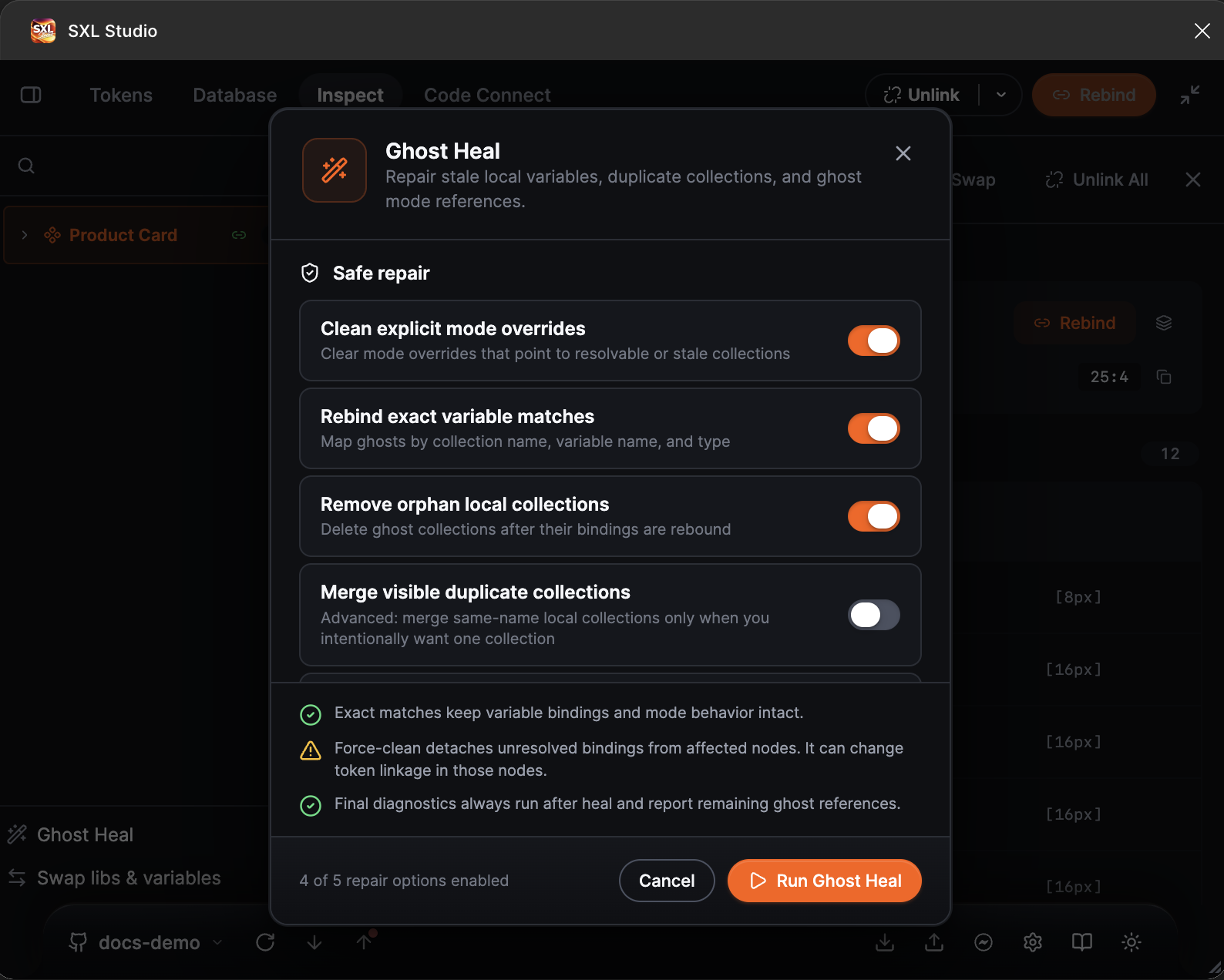
The Ghost Heal window: the safe repair toggles, the notes and the Run Ghost Heal button.
Toggles
The safe set is on by default: everything except merging collections.
| Toggle | Default | What it does | Risk |
|---|---|---|---|
| Clean explicit mode overrides | On | Removes explicit modes on layers and pages that point at deleted modes or are no longer needed | Low |
| Rebind exact variable matches | On | Rebinds variables from orphaned collections to variables with the same name, collection and type | Low: replaces only on an exact match |
| Remove orphan local collections | On | Deletes orphaned local collections after rebinding | Medium: collections are deleted |
| Merge visible duplicate collections | Off | Merges local collections with identical names into one | Medium to high: changes the variable structure |
| Force-clean unresolved ghosts | On | Detaches bindings whose source was never found and recreates text layers when needed | Medium: those layers lose such bindings |
Under the toggles the window reminds you that Force-clean detaches unresolved bindings on the affected layers and can change their token linkage.
Repair scope
With both Remove orphan local collections and Rebind exact variable matches on, Ghost Heal goes through the whole document. Otherwise it works on the current page. The diagnostics of remaining references always run at the end.
Reading the report
The notification after a run lists counters: how many explicit modes were cleaned, how many bindings rebound, how many collections removed, how many layers force-cleaned and how many text layers recreated. If some references remain, the plugin reports their number rather than changing something at random.
Recommended order
- Run Ghost Heal with the default settings.
- If unresolved references remain, check whether the file has variables with the same names and types, enable the needed libraries and install the fonts, then run again.
- Turn on Merge visible duplicate collections only if you really want to merge collections.
- To move to another library after the repair use Swap.
Figma limits
Some references to deleted modes can only be seen, not removed, by a plugin. Such cases end up in the report as unresolved.