Code generation
How to get code for the selected layer: the Code panel in Figma Dev Mode and the plugin's Code tab, the Vue 3, React, SwiftUI, UIKit, Kotlin, DivKit and JSON languages, sections, the Styled, Decomposed and Raw modes, the Codegen settings window and icon naming rules.
The plugin generates code for the selected layer in two places, and the result is the same in both:
| Where | How to open | Purpose |
|---|---|---|
| The Code panel in Figma Dev Mode | Select a layer, choose an SXL Studio language in the Code panel | A quick look without opening the plugin |
| The plugin's Code tab in Dev Mode | Open the plugin from the Dev Mode plugin list, select a layer | Sections, view modes, generation settings, copying |
Languages
| Language | What you get |
|---|---|
| Vue 3 | A single-file component: <script setup lang="ts">, template, styles with CSS variables |
| React | A function component in .tsx with typed props, CSS Modules and clsx |
| JSON | A composition description: structure, component properties, styles |
| SwiftUI | Swift code referencing the token enum |
| UIKit | A UIView class with stacks, labels and images |
| Kotlin | Kotlin Compose with token constants |
| DivKit | A card JSON document for mobile apps on DivKit |
In Figma's Code panel the languages have the same names, JSON is labelled JSON (Design).
The plugin's Code tab
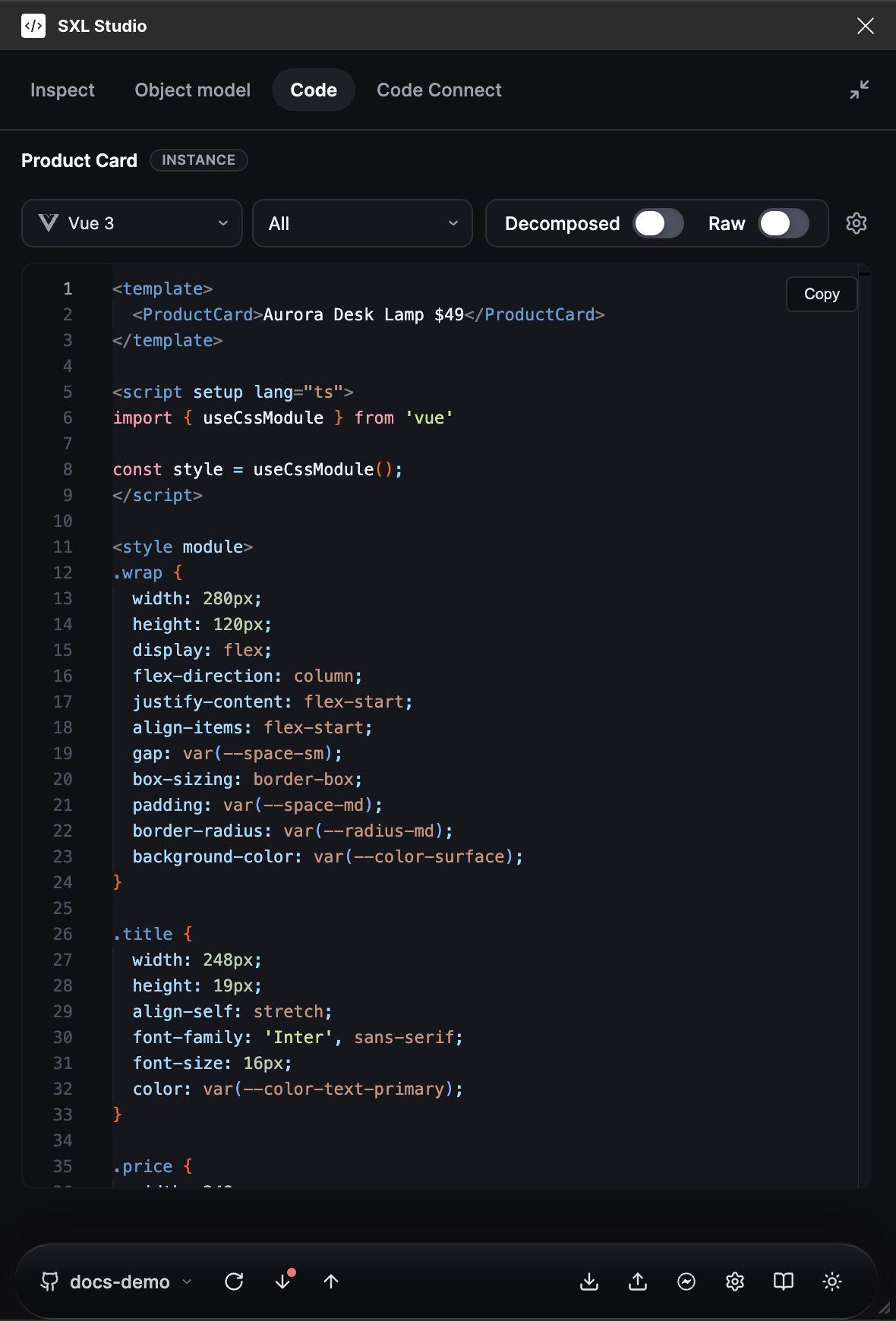
The Code tab: the Vue 3 language, the All section, the Decomposed and Raw toggles, the Copy button and the Codegen settings gear.
| Element | What it does |
|---|---|
| Language list | Vue 3, React, SwiftUI, UIKit, Kotlin, DivKit, JSON |
| Section list | All, Template, Script, Styles, Variables, References. SwiftUI and Kotlin have no Script section |
| Decomposed | Splits composite styles into individual properties; variable references are kept |
| Raw | Substitutes final values for variables. Always decomposed output |
| Copy | Copies the current section |
| Gear | Opens Codegen settings for this Figma file |
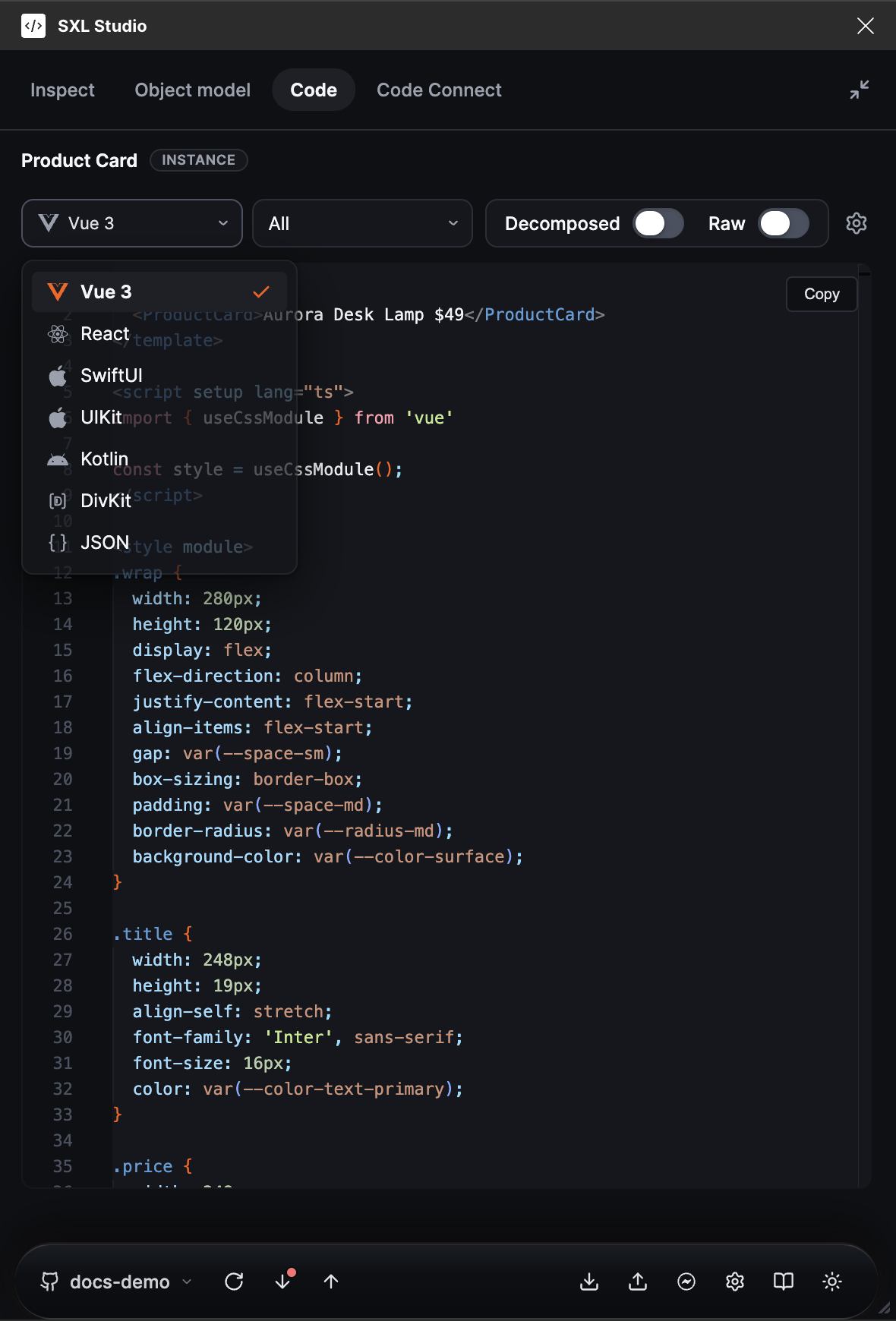
The language list on the Code tab.
The Variables and References sections are the same for every language: the first shows which variables were collected from the selection, the second lists nested components and warnings. For JSON the sections are read by meaning: Template shows the structure, Script the root fields, Styles the styles.
View modes
| Mode | How to enable | What happens to tokens |
|---|---|---|
| Styled | Both toggles off | References to composite styles are used, for example text styles and effect styles; variables are kept |
| Decomposed | Decomposed on | Composite styles are split into individual properties; variables are kept |
| Raw | Raw on | Values are substituted as literals, with no variable references |
Styled is not absolute: if a layer has no suitable style reference, the generator takes the actual values. On very large trees the output may be truncated, and a note about it appears in the code.
The Code panel in Figma
In the native Code panel every language provides a set of tabs. For example, Vue 3: All, Script Setup, Template, Styles, Variables, Reference components; React: All, Template, Script, Styles, Variables, Reference components; the mobile languages: the main file, Variables and Reference components. If the component is linked through Code Connect, tabs with the import and a usage example are added. The Debug tab appears only when a debug trace exists.
Component sets
If a component set is selected, Vue 3 and React build one component with props for the variant axes and class mapping, and DivKit builds one card with a separate state per variant. The number of variants is shown in the tab title.
Codegen settings
The gear on the Code tab opens the generation settings for the current Figma file. Empty fields mean the defaults.
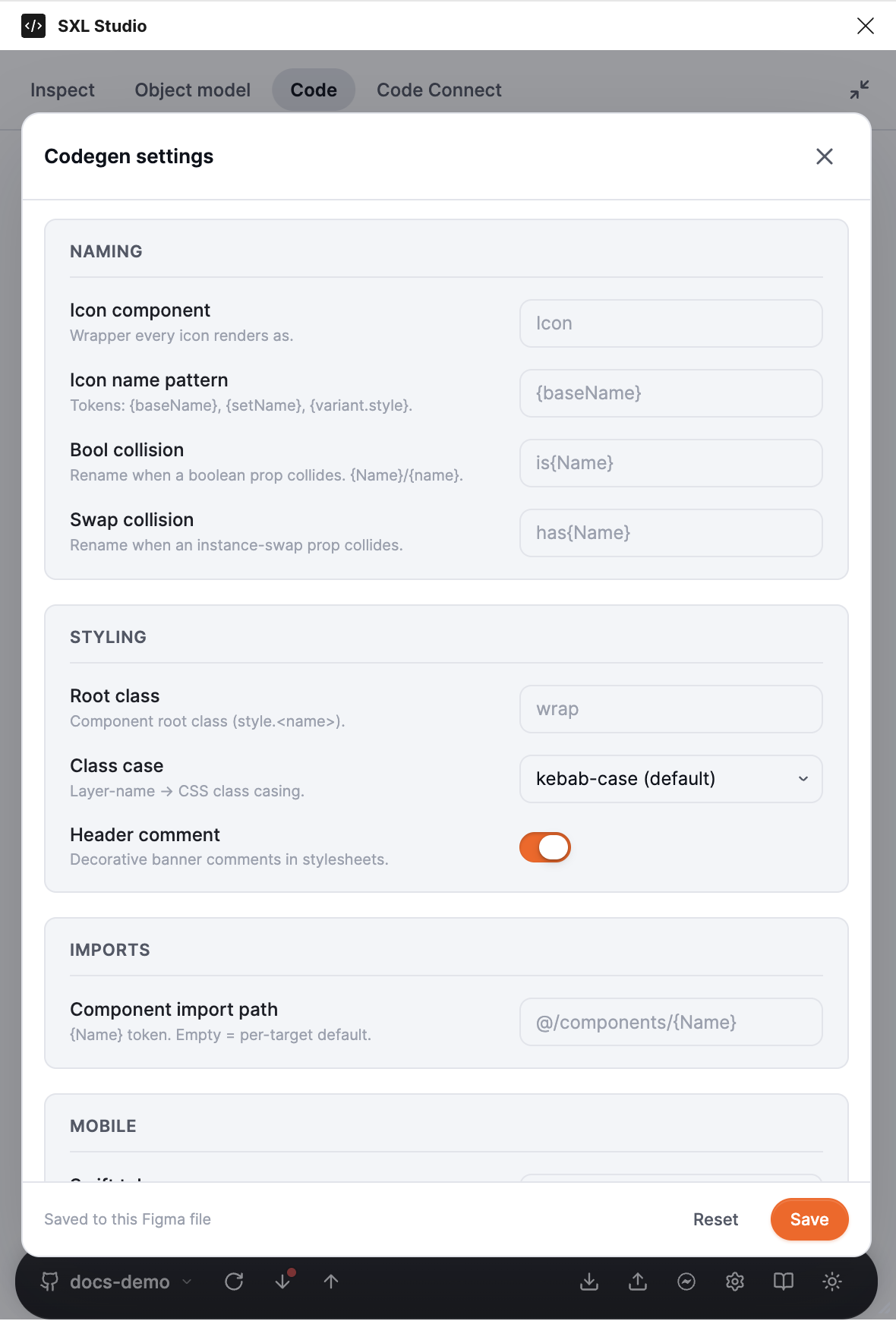
The Codegen settings window: the Naming, Styling, Imports and Mobile sections, the Reset and Save buttons.
| Section | Fields |
|---|---|
| Naming | Icon component: the wrapper for icons. Icon name pattern: the icon name template. Bool collision and Swap collision: how to rename a boolean or instance-swap property when names collide |
| Styling | Root class: the root element class. Class case: kebab-case or camelCase. Header comment: a banner comment in stylesheets |
| Imports | Component import path: the import path template, for example @/components/{Name} |
| Mobile | Swift token enum, Drawable prefix for Android, DivKit profile, DivKit validation, DivKit profile JSON |
| Testing | Test attribute: an attribute for tests, for example data-testid. Empty means off |
| Icon rules | A list of icon naming rules by page, section, set, variant or description, Default pattern and Gate (description) |
Placeholders in icon templates:
| Placeholder | Value |
|---|---|
{baseName}, {name} | The normalized icon or layer name |
{setName} | The component set name |
{pageName} | The Figma page name |
{sectionName} | The nearest section |
{variant.<axis>} | The variant axis value |
Rules are checked top to bottom and the first match wins. If none matches, Default pattern is used. Example: Icon component: Icon, Icon name pattern: {baseName}, a rule "if pageName = Icons and variant.Size = 24, then ui-{baseName}-{variant.Size}".
Language specifics
React. A component for React 19: .tsx, typed props, ReactNode for slots and swaps, CSS Modules and clsx, import paths from the settings, an optional test attribute. Slot layers become children, nested components are imported as tags.
UIKit. A UIView class with UIStackView stacks, UILabel labels and UIImageView images. Colours, dimensions, typography and effects come from tokens where possible. Explicit Figma modes are emitted as comments.
DivKit. A handoff-ready JSON: card and, when needed, templates. Token references become DivKit variables of the form @{token_name}; collections with several modes get a mode variable and a value dictionary. Frames and components become container, text becomes text, lines become separator. The References section lists placeholders and unsupported constructs: check it when the output does not match expectations.
DivKit has profiles and validation modes. DivKit profile: Generic suits any project, NewMain BDUI and Custom are opt-in. DivKit validation: Strict Playground keeps the output compatible with the public DivKit playground, Host App allows schemes and blocks declared in the project profile. The project profile is set in the DivKit profile JSON field:
{
  "icons": {
    "circle-info": { "image_url": "https://cdn.example.com/icons/circle-info.svg" }
  },
  "slots": {
    "slot.class:progress": { "type": "custom", "custom_type": "new_main_story_progress" }
  },
  "actions": {
    "cta": "div-action://open/details"
  },
  "fonts": {
    "SF Pro Display": "display"
  },
  "customTypes": ["new_main_story_progress"]
}
Icons become image nodes with an address, slots become containers, custom blocks or templates, actions become tap handlers, fonts become host aliases. If a mapping is missing or the validation mode forbids it, the plugin keeps a safe placeholder and writes the reason into References.
If the output is not what you expected
- Toggle Decomposed and Raw to separate token behaviour from values.
- Open the Variables section and check which variables were collected from the selection.
- Make sure the right layer is selected: a component, a nested layer or a component set give different results.
- In Figma's Code panel look at the Debug tab if it appeared.